
Stripboard · Veroboard
Stripboard (Veroboard) layout planner in your browser
PerfBoard lays out stripboard, also called Veroboard, in the browser. Place parts across the copper strips, cut the strips where two parts of the circuit must stay apart, and add wire links. The design rule check flags a strip that joins two nets. The track cut list and the build guide show every cut to make before you solder.
What the stripboard editor does
- Copper strips. Every hole along a strip is joined, the same as on a real board. Strips run along rows or along columns. Pick one of four common sizes or set your own.
- Track cuts. Cut a strip at a hole, which removes the copper there, or between two holes, which leaves both holes free.
- Suggested track cuts. One click adds the track cuts that separate the nets already on the strips, in one undo step.
- Wire links. Wires run on the top side. A wire end joins its strip, so no solder bridge is needed.
- Design rule checks. Two nets sharing a strip, a part with two pins on one strip and no cut between them, a track cut under a pin or a wire end, a link whose ends sit on one strip, and a pin with no free hole on its strip.
- Track cut list. The Cut Sheet tab lists every track cut, grouped by strip. Copy and CSV include them after the wires.
- Build guide. A Cut tracks stage shows the copper side with every track cut drawn in place, and a checklist grouped by strip.
- Simulation. The strips carry current and a track cut opens the strip. Simulation is part of Pro.
A real stripboard layout
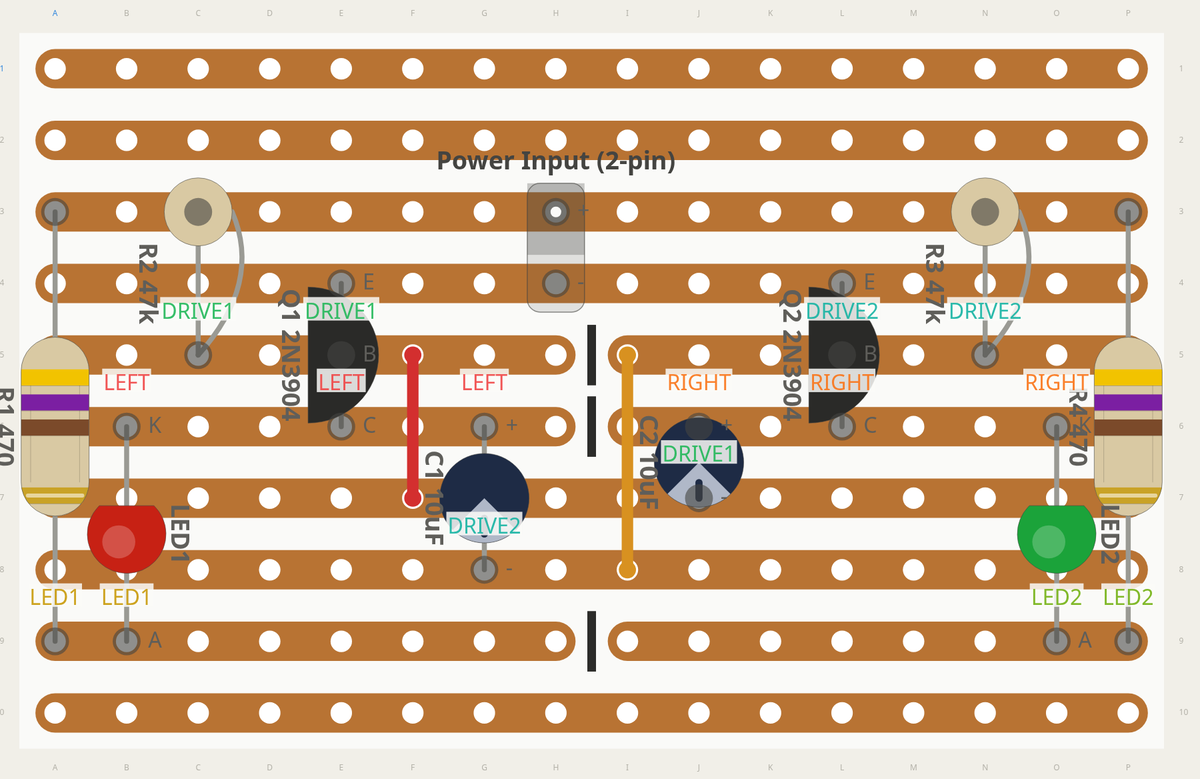
How it works
- Create a board and choose Stripboard. Pick a size and whether the strips run along rows or columns.
- Place parts from the library across the strips.
- Name the nets. The design rule check lists every strip that joins two of them.
- Press K for the Track Cut tool. Add the suggested track cuts, or click a hole or the gap between two holes to cut by hand.
- Add wire links where a net crosses to another strip, then open the build guide.
Questions
- What is stripboard?
- Stripboard is a prototyping board with parallel copper strips on one side. Veroboard is a well known brand of it. Every hole along a strip is connected. You break a strip with a track cut where two parts of the circuit must stay apart, and join strips with wire links.
- How do track cuts work in PerfBoard?
- On a stripboard, choose the Track Cut tool (K). Click a hole to cut the strip at that hole, or click the gap between two holes to cut it there. A hole with a pin or a wire end in it refuses a cut, and the pop-up says why. Click a track cut to remove it. Add suggested track cuts adds the cuts that separate the nets on the strips. Track Cut tool docs
- Is the stripboard planner free?
- Stripboard is part of the free plan. Free for 30 days: edit everything, then boards stay saved and read-only. The cut sheet shows its first 3 wires. The track cut list shows its first 3 track cuts the same way. PerfBoard Pro, monthly or yearly, keeps editing open after 30 days, shows every track cut, puts the track cuts in the build guide and the PDF, and simulates the circuit. See plans
- Can I simulate a stripboard circuit?
- Yes, with Pro. The copper strips carry current the same way wires and solder bridges do, and a track cut opens the strip. The simulator
- Does PerfBoard check my part pinouts?
- No. A layout uses each part's footprint from the library. Check every part's pinout in its datasheet before you solder.
Learn more
- The stripboard lesson and the other how-to videos.
- The docs: board families, the Track Cut tool, the Cut Sheet tab and the build guide.
- Builds: real circuits with parts lists, cut lists and free build sheets.
- The simulator: run the circuit on your layout before you solder.
Create a free account and start a stripboard. Get Pro when your build needs more.